
App layout
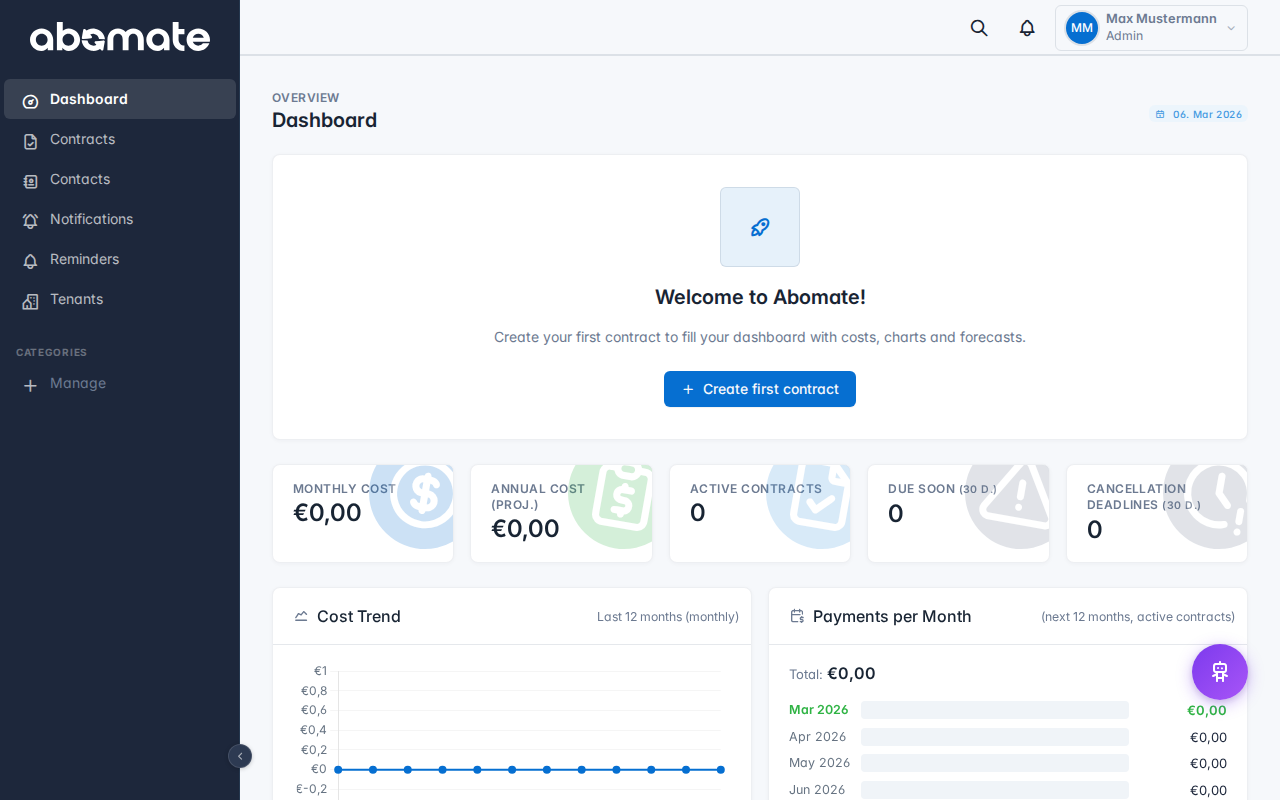
Abomate consists of three main areas that provide a clear and intuitive user experience.
Sidebar (left)
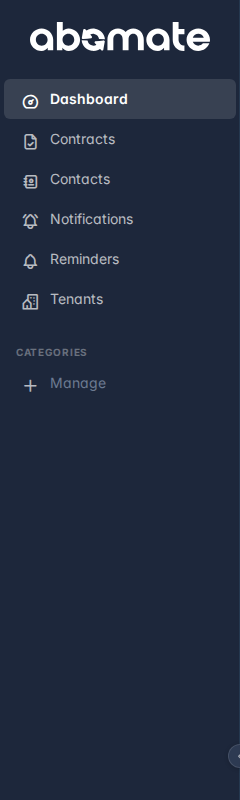
The sidebar is your main navigation. Here you find all important areas:
| Menu item | Description |
|---|---|
| Dashboard | Overview page with KPIs, charts and liquidity forecast |
| Contracts | Central contract list with filters, search and bulk actions |
| Users | User management – visible to admins only |
| Departments | Create and manage departments |
| Reminders | Configure email reminders |
| Support | Create and track support tickets |
| Tenants | Manage sub-tenants (Pro plan only) |
On mobile devices the sidebar automatically becomes a hamburger menu. Open and close it via the menu icon in the top left.
Topbar (top)
The topbar contains important quick access features:
- Search – Global search across all contracts (also via Ctrl+K / Cmd+K)
- Notifications – Bell icon with badge for unread notifications
- Tenant switcher – Switch between tenants (Pro plan only)
- Profile menu – Your name with dropdown: Profile, Language (DE/EN), Logout
Content area (center)
The main area shows the current page – whether dashboard, contract list, settings or support tickets. This is where you work with your data.
Theme and appearance
Under Settings you can customize the appearance:
- Theme – Choose between Dark, Light and Blue
- Primary color – Match buttons and accents to your brand (Business + Pro)
- Language – German or English, switchable at any time