
Capture contracts via PDF
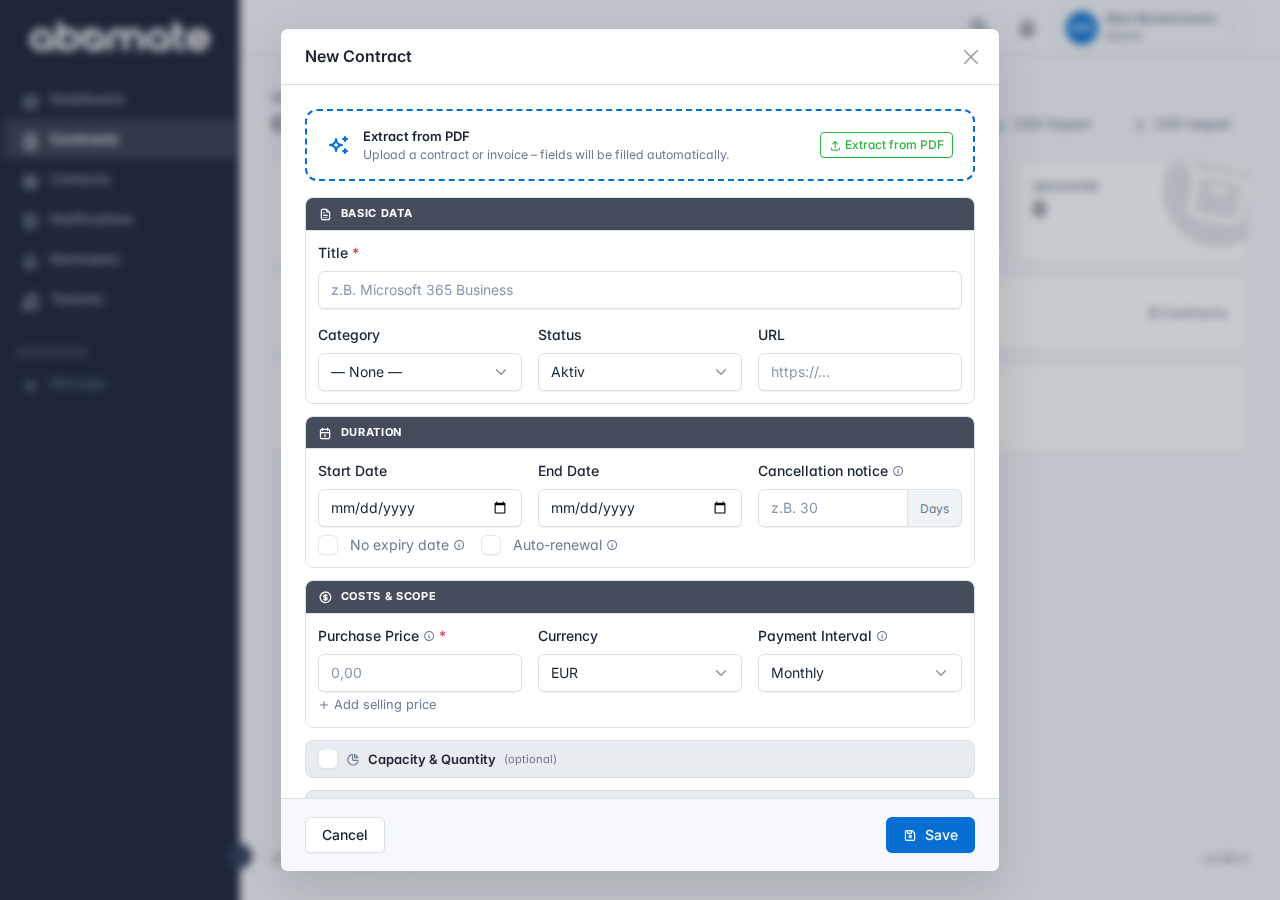
Instead of manually entering contract data, you can upload a PDF. The AI automatically recognizes the most important contract data and pre-fills the fields.
What is recognized?
| Field | Example |
|---|---|
| Contract name | "Microsoft 365 Business Premium" |
| Provider | "Microsoft Corporation" |
| Cost & interval | "€12.50 / monthly" |
| Start and end date | "01.01.2026 – 31.12.2026" |
| Notice period | "30 days" |
| License key | "XXXXX-XXXXX-XXXXX" |
| URL | "https://admin.microsoft.com" |
How it works
- Click + New Contract in the contract list
- Click Upload PDF or drag a PDF into the upload area
- The AI analyzes the document (takes a few seconds)
- Recognized data is pre-filled into the form fields
- Review the data, correct if needed and click Save
Best practices: Recognition works best with structured documents like invoices, contract confirmations or orders. Handwritten or poorly scanned documents may be less accurate.
Custom fields
If you have set up custom fields, the AI also tries to extract these from the PDF.
Availability
| Plan | PDF Recognition |
|---|---|
| Starter | ✗ |
| Business | ✓ |
| Pro | ✓ |